



You want to get updates on new messages from someone or a group. But you don’t want it to show up on the main screen. So, is there any way to do so? Well, WhatsApp has the features for that. If you want to manage your conversation better, without deleting them, there’s a solution.
In this article, we share with you a guide on how to hide your WhatsApp chat and also how to unhide it when you want. This way, you can make your chat private. Plus, you don’t have to block someone or leave the group completely; you just keep the chat away from the main list.
What Options Does WhatsApp Provide to Hide Chats?
The easiest and simplest option that WhatsApp provides to hide chats is ‘Archived Chat’. This one is a separate list from the regular or main chat list. If you archive any chat, that will move to a hidden folder, which means you won’t see it in your main screen.
Then, any new messages from that person or group will go to the archive, and you won’t get any updates about it. But whenever you wish, you can also check the new message and reply to it as well.
We also have shared a guide on how to download WhatsApp status on Android or iPhone.
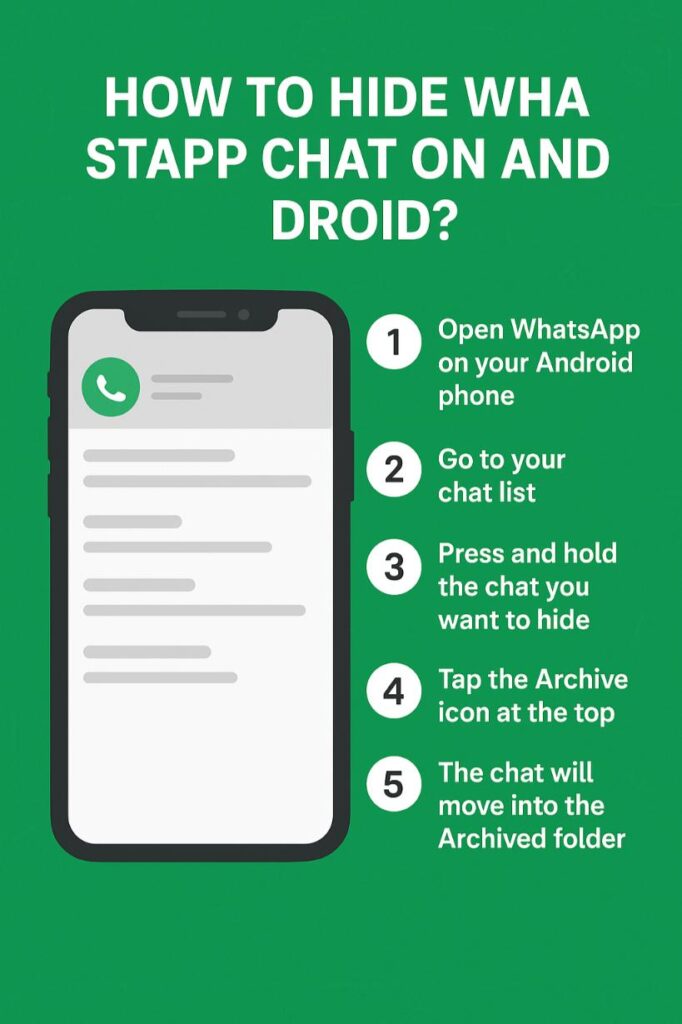
How to Hide WhatsApp Chat on Android?
When you don’t want your WhatsApp chat to be listed in the main chat gallery, you can just hide it. Here are a few steps to hide your WhatsApp chat on Android:

- Open ‘WhatsApp’ on your Android phone.
- Go to your chat list.
- Press and hold the chat you want to hide.
- Tap the ‘Archive’ Icon at the top bar.
- Next, the chat will move into the Archived folder.
- You can also manage the archive settings in the folder.
Also, check out these best emojis to use on WhatsApp that make engaging chat.
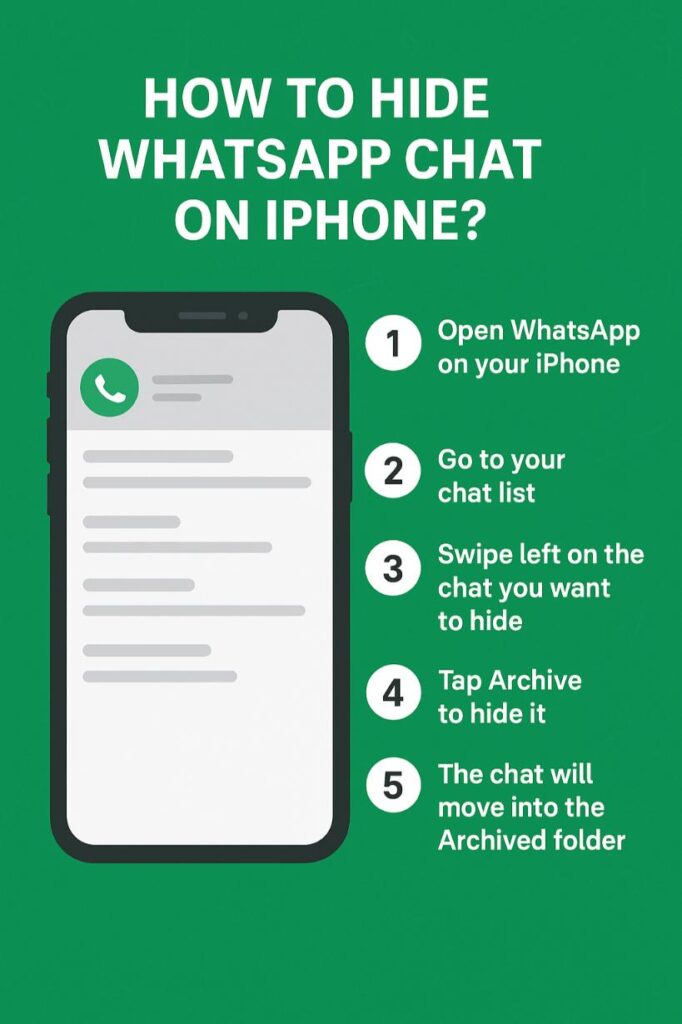
How to Hide WhatsApp Chat on iPhone?
When you are using WhatsApp on an iPhone, and you are looking for a way to hide your chat, this tip is for you. Without deleting any message, here’s how you can manage your chat by moving it from the main chat list.

- Open ‘WhatsApp’ on your iPhone.
- Go to your chat list.
- Swipe left on the chat you want to hide.
- Tap ‘Archive’ to hide it.
- The chat will move into the Archived Chats folder.
If you are thinking of starting a group, here are trending group names to take ideas from.
How to Find and Unhide Hidden WhatsApp Chats?

When you archive any chat, it does not actually delete it, but moves it to another folder. This option is good for those who don’t want to block someone or exit from the WhatsApp group, but still want to get new texts from them.
To find and unhide the hidden chats on WhatsApp, you need to go to the ‘Archived’ option to find them. For Android users, you need to press on the chat that you want to unhide, then tap on the ‘Unarchive’ icon to move the chat back to the regular list. For iPhone users, you can swipe left on the chat you archived to move it back to the main chat list.
You can use our free caption generator and hashtags generator tool to make perfect posts.
Conclusion
Well, hiding WhatsApp chat is a smarter way to keep your conversation hidden and move from the regular chat list. Moreover, you can use this feature to get over of those unwanted messages without having to leave the group or block someone completely.
Later on, if you wish, you can always check the new WhatsApp messages, reply to them, and even move them back to the main chat list. So for organizing purposes, this option is good to keep your privacy as well as to lower the distraction.
Can I hide WhatsApp chat without deleting it?
With the ‘Archive Chat’ feature, you can hide messages without deleting them.
Does WhatsApp notify the other person if I hide a chat?
No, they won’t get any notification that you hide your chat with them. You keep getting the new messages and also chatting with them privately.
How do I permanently lock one WhatsApp chat?
You need to use the ‘Chat Lock’ feature on WhatsApp, and that requires your fingerprint or password.
Can I hide WhatsApp chat on WhatsApp Web?
As for now, this feature isn’t available for WhatsApp Web.
What’s the difference between archive and hide chat on WhatsApp?
Archive chat means you want to move the conversation from the main list to the archived chat list. Whereas, you can hide chat with a lock feature that you can access by adding a password.



