



Instagram always listens to its users, and that’s the only reason why it’s the best social media platform in the world, that too for over a decade. Instagram keeps updating its features, action buttons, and new user interfaces, and the platform does all this just by following its users’ recommendations. One such feature that users asked for and Instagram delivered in style was the repost option. Yet many are not aware of all the potential of the Instagram repost feature.
That’s what we will be talking about in our new ultimate guide on the use of Instagram reposts. Here we will be providing in-depth research on Instagram repost, its functions, features, policies, proper usage and more. This ultimate guide on Instagram reposts will solve all your doubts and help you make better use of this feature. So go on, read this article till the end, and by the end, you will master the Instagram repost feature.
Follow this easy guide to download Instagram Reels quickly and save them in just a few steps.
What Is Instagram Repost?

Instagram, with its new updates, always keeps on bringing new features, action buttons, functions and more. Not all are welcomed by the audience with open arms; some work while some are taken aback by the platform. But one such feature that receives the most love is the repost option. The Instagram repost option allows you to repost someone else’s content on your feed with proper mention of the original creator to keep the privacy and appreciation for the original creator. This function works for posts, reels, and stories. Due to this feature, only one member can post a story of an event, and others can repost it, the same for the posts and videos and reels. Instagram has also started a separate repost section that allows you to repost content that you relate to and want others to know what you prefer.
Grow your profile naturally using these tips and tricks to get more Instagram followers.
Benefits of Reposting on Instagram

- Honestly makes your page look active even on days you have nothing new.
- Helps you hype your friends/creators without much effort.
- You can share your vibe with stuff instantly instead of saving and forgetting
- Good way to show support to people or brands you actually like.
- Sometimes a repost hits better than your own post.
Find the ideal posting time with our ultimate guide to the best time to post on Instagram.
Types of Content You Can Repost

- Reels.
- Random memes you find funny
- Posts where someone tagged.
- Quotes or graphics that you like.
- Event updates, announcements, reminders.
- Those aesthetic pictures just to look cool.
Use this guide to make viral Instagram videos that grab attention and perform better.
How to Repost on Instagram (Step-by-Step)
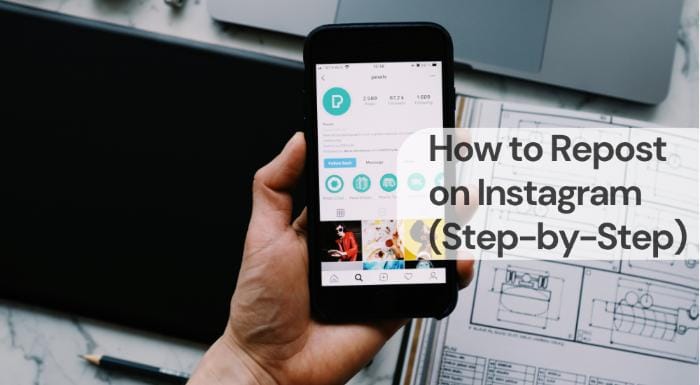
- Open the post/reel you wanna share.
- Tap that little paper-plane icon.
- Choose “Add to story” or “Repost”
- If you want to add text or a sticker, do it; if not, just send it
- Boom, it’s on ur story/feed, done in like 5 seconds.
Your bio makes the first impression count. Generate a unique one instantly with our AI Instagram bio generator.
Common Mistakes to Avoid When Reposting
- Reposting from private accounts because yeah, it won’t work lol.
- Forgetting to credit someone, and then they get mad.
- Posting blurry screenshots instead of using the actual repost button
- Overdoing reposts back-to-back so ur story looks like a newspaper
- Sharing random stuff that doesn’t match your page vibe at all.
Grow your profile naturally using these tips and tricks to get more Instagram followers.
FAQs
Q.1 Why can’t I repost someone’s Instagram story?
Because the person might not have allowed story resharing, or they didn’t tag you. Private accounts also limit the repost option.
Q.2 Can I repost Instagram content legally?
Inside Instagram, yes, since the platform credits the creator.
Q.3 Why is the repost option missing on my Instagram?
It can disappear due to app glitches, updates, or privacy restrictions from the original user.
Q.4 Does Instagram notify the person when I repost?
Yes, they get notified if you share their content to your story. For feed reposts, their name is shown but they don’t receive a direct notification.
Create smooth multi-photo posts with this easy guide to Instagram carousels.
Conclusion
Reposting on Instagram is not really complicated; it just feels confusing the first time. Once you try it a couple of times, it becomes a normal thing you do without thinking much. The only real thing to remember is to give credit and not repost something that might upset someone. If you just keep it honest and share stuff you actually like, the repost looks natural on your page. It doesn’t need to be perfect or planned. Just share what connects with you, that’s it.
Running out of caption ideas for Instagram? Use our AI Instagram caption generator to get fresh inspiration.



