

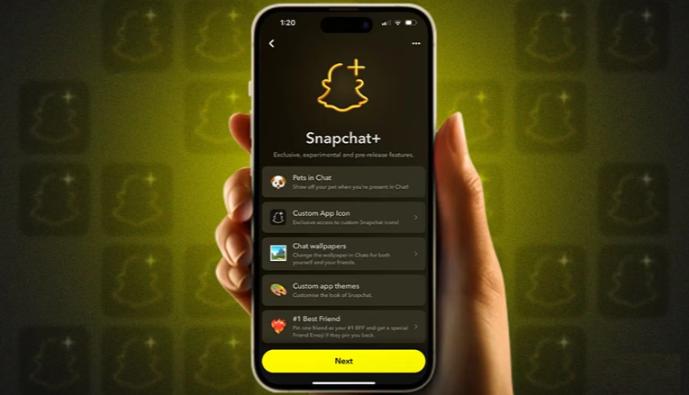

Snapchat is free, and most people are happy with that. But if you post to your Story a lot, or you just like your profile to feel like yours, Snapchat+ is worth a look. It shows you how many friends keep coming back to your Stories, gives you more ways to personalize your account, and adds a few extras that make sharing more fun. Here are the Story features I think are worth your attention, and how to get more out of them.
What Snapchat+ Adds to Your Experience
Snapchat+ is Snapchat’s optional paid tier. It doesn’t change how the app’s main features work. It just piles some extra perks on top, and new ones show up every so often. Since the perks and the price can shift, think of what follows as a rough overview, and check the subscription page in the app to see what’s included right now.
Getting Access
To use the premium features, you need an active snapchat plus subscription. You can start one in the app, and some people also compare other ways of buying digital subscriptions. Whichever route you choose, check the current price, billing terms, and regional availability.
Story Rewatch Indicators
What They Show
This is one of the most popular Snapchat+ features. With Story Rewatch indicators, you can see how many friends rewatched your Story. You won’t see which friends, or how many times each one watched. Without Snapchat+, you only see who viewed it.
Why It’s Useful
Rewatches tell you something views can’t. A view might be a quick tap-through, but a rewatch suggests a Snap really stood out. That can help you:
It’s best treated as a bit of fun feedback, not a score to chase. A Story doesn’t need a high rewatch count to be a good one.
Customization Options
Customization is probably the most personal part of Snapchat+. They affect your account’s appearance and feel, and what your friends see when they visit your profile.
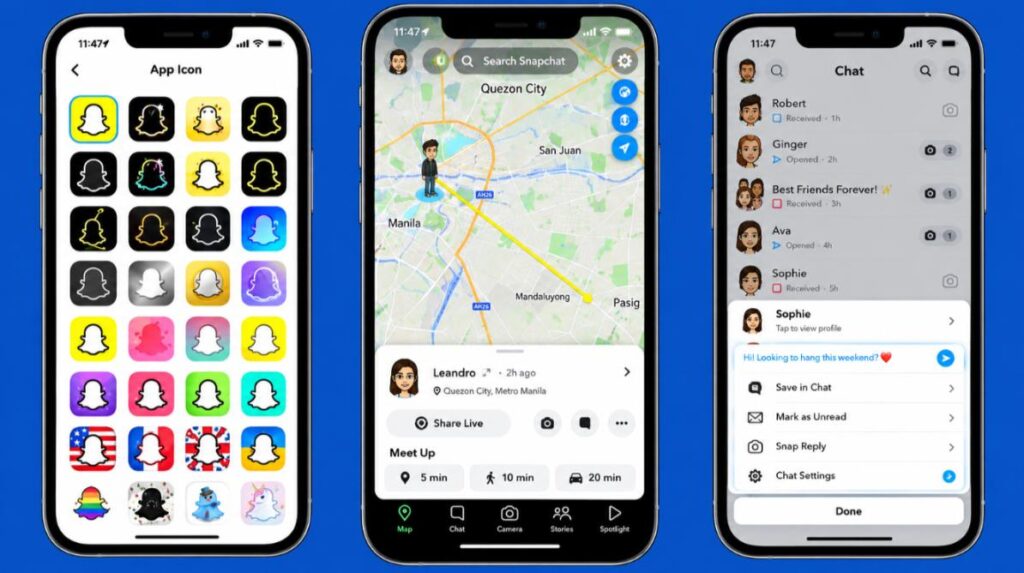
Custom App Icons
You can swap the standard Snapchat icon on your home screen for an alternative design. It’s a small detail, but a nice one if you like tidy, themed home screens.
Friend Pins and Profile Touches
Snapchat+ lets you pin one friend as your #1 BFF. Only you can see who you’ve pinned, so it’s a private touch rather than something that shows on your profile. You also get the Friend Solar System, which shows where you rank on a friend’s Best Friends list. Both are fun little extras for keeping tabs on your closest friendships.
Post View Emoji
Instead of the default emoji that shows next to a viewed Story, you can pick your own. It’s a playful touch that makes your Stories feel more like yours.
The Snapchat+ Badge
A badge on your profile lets friends know you’re a subscriber. Some users enjoy it, and others couldn’t care less, so it’s entirely a matter of taste.
Creative Tools for Better Stories
A strong Story comes from good ideas, not extra features. Still, a few Snapchat+ perks can make the process smoother.
Priority Story Replies
When you reply to a creator’s public Story, Snapchat+ can place your response closer to the top of their replies. If you want a creator to notice your message, this helps. It doesn’t apply to friends’ Stories.
Chat and Visual Personalization
Chat wallpapers and custom notification sounds let you change how the app looks and sounds. They won’t touch your Stories directly, but they do help your account feel like one consistent style that’s yours.
Making Your Stories More Engaging
Benefits are nice, but what you do with them is more important. Here are a few ways to go with Snapchat+ for your Story routine.
Learn From Rewatch Patterns
Find out which Stories people are returning to, then double down. If your food videos or fast travel summaries get a lot of repeat viewers, create more.
Keep Your Profile Consistent
When your icon and emoji go together, your profile looks more pulled together. A little consistency goes a long way.
Post With a Purpose
A short Story with one clear idea beats a long one that wanders. Before you post, think about what you want your friends to do when they watch it. Laugh, reply, or ask where on earth you were, any of those works.
Respect Your Friends’ Privacy
Rewatch counts are fun, but remember that they reflect other people’s activity. Use them lightly and kindly.
Is Snapchat+ Worth It?
Is it worth it? That comes down to how you use the app.
If you post Stories a lot, like fiddling with how your profile looks, and enjoy seeing how your friends react to what you share, it’s a good fit. If you mostly send private Snaps, rarely post Stories, or are happy with the app as it is, you can probably pass.
Before you subscribe, look at what’s included right now and make sure a few of the perks matter to you. It’s easy to forget about a subscription, so set a reminder to check back in a while and cancel if you’re not using it.
Comparing Subscription Options
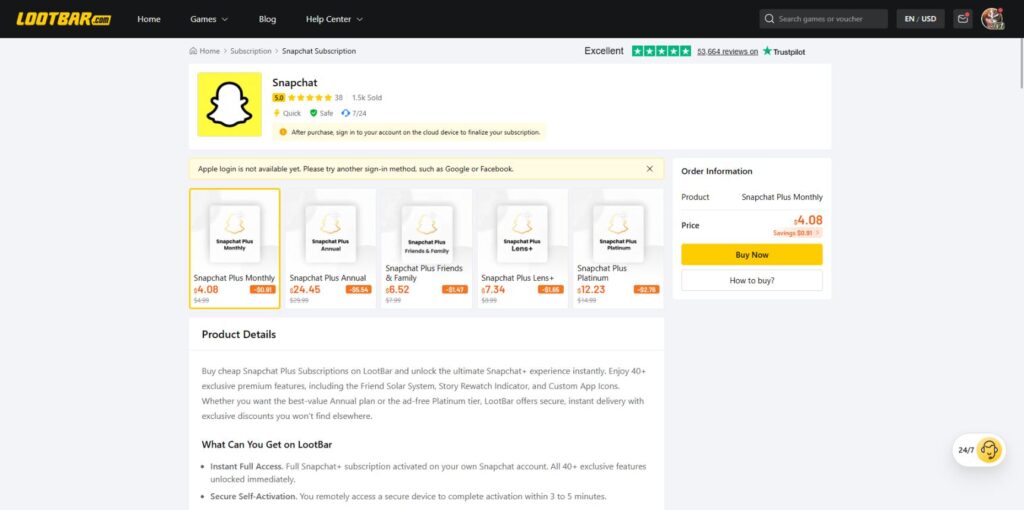
Before you pay for any digital subscription, it helps to compare your options. Platforms like LootBar Subscriptions let users explore a range of digital subscription options in one place, which can be a handy reference point when you’re weighing price and convenience. As with any purchase channel, read the details and terms carefully before you pay.
Conclusion
You don’t need Snapchat+. But if you love sharing Stories and making your profile your own, it can make the app feel a lot more like yours. Seeing how many friends rewatch a Story tells you what’s landing, the customization adds some personality, and the extras make posting a bit more fun. Stick with the features you’ll really use, keep an eye on what you’re paying, and enjoy the little touches.