
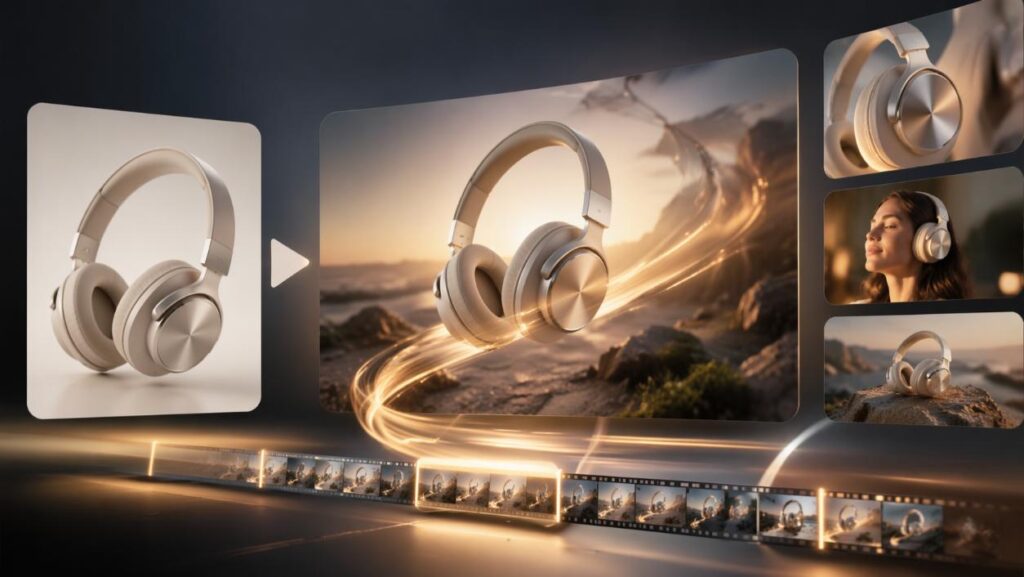

Product photos tell people what something looks like. A demo shows them what it does, and that’s usually what tips a decision. The catch is that filming demos means studios, lighting, hands, retakes, and a lot of money. With text to video, you can skip most of that.
Dreamina, running Seedance 2.5, turns a detailed written description into a realistic demonstration clip in minutes. This guide covers how to write prompts that look like real footage, how to set up generation, and how to polish the result for your product page. It’s a practical way for small brands to look professional.
Why a demo beats a spec sheet
Specs are easy to skim and easy to forget. A twisting lid, a smooth hinge, or a drawer that closes softly sticks in memory. Short demonstrations also answer questions before customers ask them: how big is it, how does it feel in the hand, what happens when you press that button? Even a ten-second clip of someone using the product can do more than a paragraph of bullet points. Demos also set realistic expectations, so customers know what they’re buying.
Seedance 2.5 abilities that suit product demos
A demo has to look physical and precise, so a few upgrades matter more here than anywhere else.
Reference control for exact handling
Green screen and blockout-style references let you pin down exactly where a hand touches an object and how the interaction plays out, instead of hoping the model guesses right. That precision is what separates a believable demo from a vague one.
No more doubled subjects
Earlier models sometimes produced duplicated people or strange face mix-ups. Seedance 2.5 fixes those issues, which matters when a presenter shows up on screen. Cleaner people mean fewer retakes.
Edits without a full re-render
If one element is wrong, like an unwanted watch on a wrist, region-level editing fixes it without regenerating the whole clip. It’s far quicker than starting from scratch.
More physical texture
The glossy artificial look has been reduced, so metal, plastic, and fabric come out with more convincing surface detail. That detail is what sells a brushed metal finish.
Writing a prompt like a product brief
Think of your prompt as a brief for a very literal photographer. Cover these points:
Skip anything that isn’t visible. Claims like “durable” or “premium” don’t give the model anything to draw. A prompt of three or four sentences is usually enough.
Show your product in motion in three Dreamina steps
Step 1: Write your prompt
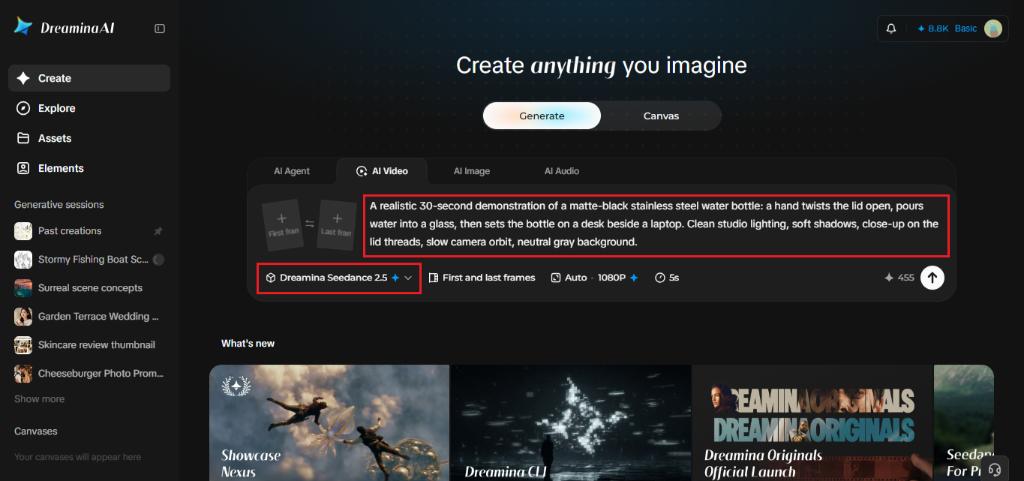
Go to Dreamina, log in, and open the AI Video section. Write a detailed prompt covering the product, the action, and the camera. Try this for a 30-second video: “A realistic 30-second demonstration of a matte-black stainless steel water bottle: a hand twists the lid open, pours water into a glass, then sets the bottle on a desk beside a laptop. Clean studio lighting, soft shadows, close-up on the lid threads, slow camera orbit, neutral gray background.” Don’t worry about technical camera terms; plain language works.
Step 2: Generate your video
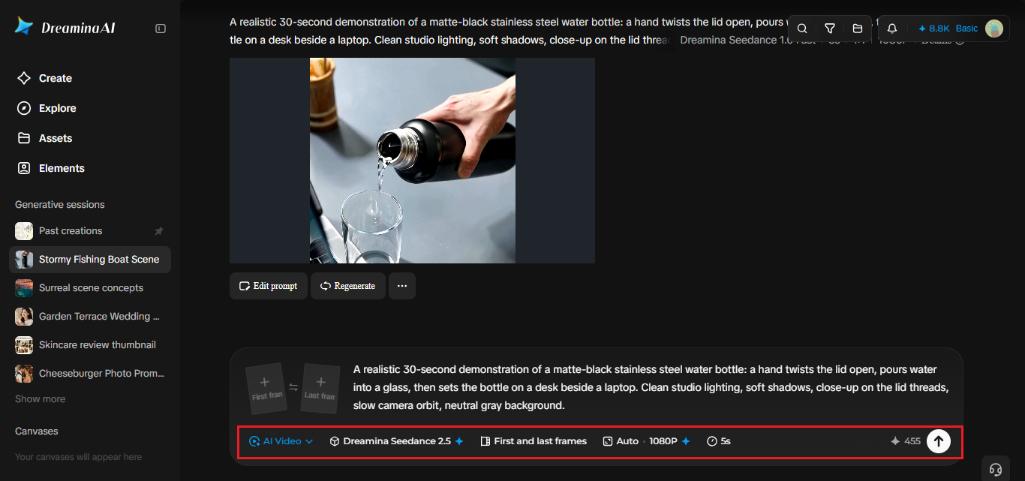
Pick Seedance 2.5, choose your clip length, and select 16:9 for YouTube or a product page, or 9:16 for TikTok. Click Dreamina’s icon and give it a moment. Shorter clips are easier to keep tidy, so test at a modest length first.
Step 3: Enhance and export
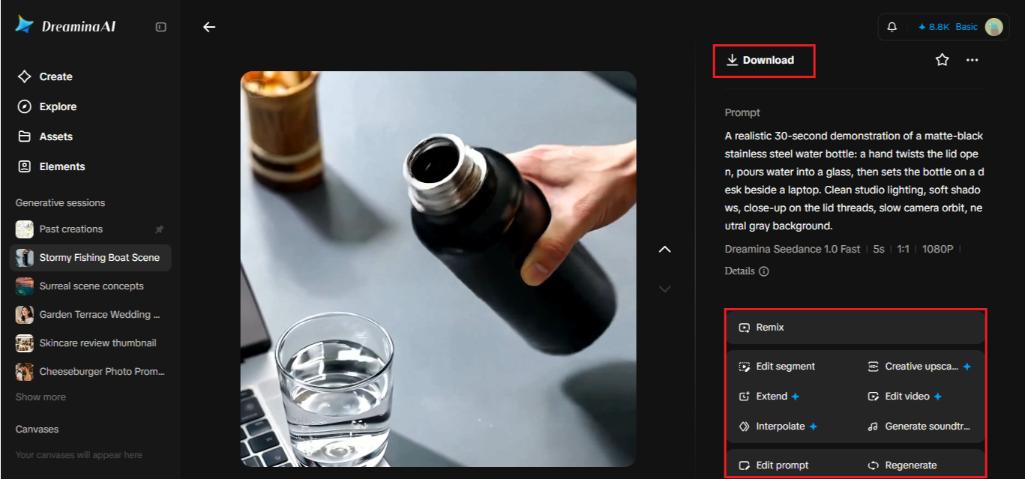
Run Upscale for sharper detail, and add Generate soundtrack for subtle audio. Then export the clip and share it. If the first pass has a wobbly hand, regenerate with a simpler action.
Making the interaction believable
Hands are the hardest part of any demo. Keep the action simple, like opening, pressing, pouring, or sliding, and avoid long chains of steps in a single clip. Mention weight when it matters: “a heavy drawer closing slowly” reads differently from “a light flap snapping shut.” Slow, deliberate motion looks more realistic than fast, jerky movement. If a clip looks off, simplify the action before changing anything else.
Lighting that makes products look expensive

Lighting does more for perceived quality than any feature. Soft studio light with gentle shadows feels clean and trustworthy, while harsh overhead light can make even good products look cheap. Specify the light source and the background. “Soft window light from the left, light wood surface, blurred kitchen behind” gives a very different mood from “white studio sweep, soft shadows.” Test two lighting styles and keep whichever feels closer to your brand.
Checking the first result
When your first clip comes back, watch it twice. First for the product: are the shape, color, and details right? Then for the motion: does anything bend, float, or snap in a way real objects wouldn’t? Note what’s off, change one thing in the prompt, and run it again. Three quick rounds usually beat one long, complicated prompt.
A word on honesty
Generated demos are concept visuals, so treat them that way. Don’t show features the product doesn’t have, and don’t imply performance you haven’t tested. If you use clips on a product page, label them as illustrative. People forgive stylized footage far more readily than a demo that doesn’t match what arrives in the box. Honest framing builds trust, which is what demos are for in the first place.
Ready for your close-up
A good demonstration turns curiosity into confidence. Dreamina and Seedance 2.5 make that kind of footage possible without a studio, and a detailed written prompt is all it takes to start. Describe one product, one action, and one camera move, and see what comes back. Your next product page might finally feel alive. Start with your simplest product and build from there.