

Tumblr is a microblogging platform to share short/long posts, images, videos, quotes, and GIFs. You can say that Tumblr is like a mix of social media and blogging. It’s simple to use but has a very creative way to share your thoughts.
Whether you are an artist, blogger, writer, or normal user who wants to share your thoughts, Tumblr is the place for you. Here you can also connect with like-minded people and create a community. In this guide, we will explain what Tumblr is, how it works, and why it’s popular.
Quick Overview: What Is Tumblr?

Tumblr is a microblogging site that also has social networking features to share various types of content on a personal blog page. In every post, you can decorate with different text types, photos, quotes, and media.
Plus, you can follow others’ Tumblr blogs, share them, and create your unique Tumblr blog that matches your personality. What sets Tumblr apart from the rest blogging platforms is that it is mainly focused on creativity and unique storytelling. The aesthetic themes, trending topics, and various creative features make Tumblr quite a different blogging platform.
History and Evolution of Tumblr
Launched in 2007, David Karp launched Tumblr to create a platform that offers a creative and unique blogging experience. Its format, ‘tumblelogs,’ lets users post short and catchy posts very easily. Due to its uniqueness, the site became popular among the youngsters.
Over time, Tumblr keeps evolving by implementing new tools to customize and share content on the site. Even though there is tough competition, Tumblr keeps its popularity due to its creative and unique user experience of personal blogging.
Key Features of Tumblr: Blogs, Posts, and Customization
Here are the best features that make Tumblr stand apart:
- Blog Pages: User can create blog pages as per their needs, preferences, and style.
- Post Variety: Not just text, but you can also add various media, including images, videos, audios, and links.
- Reblogging: This feature is to report another user’s post on your blog with your comments on it.
- Customization: The deep customization features let you decorate your blog, try different layouts, themes, and even edit HTML to give it a personal touch.
If you have yet to complete your profile, take ideas from these bios for content creators.
How to Create an Account and Set Up Your Tumblr Blog
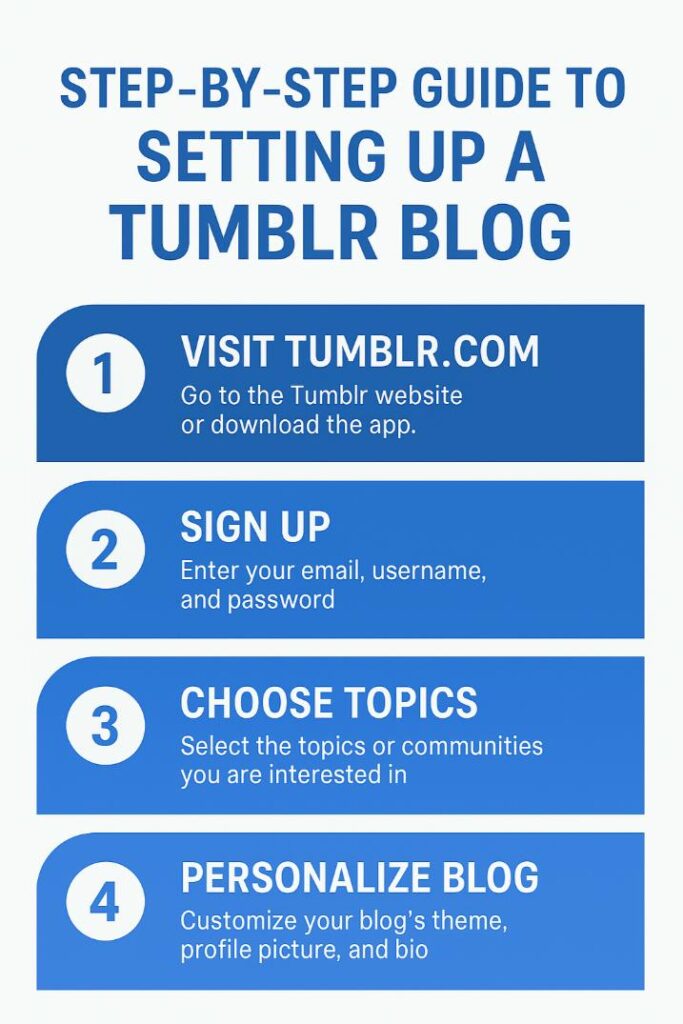
Now, let’s see the process to create and set up your blog on Tumblr:
- Go to tumblr.com, or you can access it via the App.
- Sign up for a Tumblr account using your email and, unique username.
- Set the unique password and keep it saved.
- Opt for the topics of the community that you are going to share posts about.
- Once, created your account, you can style your blog.
- Now, select the theme, upload the picture, and add your short bio.
If you face challenges in coming up with a perfect bio, then take the help of our free bio generator tool.
How Tumblr Is Used: Personal vs Business Accounts
Tumblr is a good platform for both personal as well as professional use with different purposes of blogging. Here’s how they can use this amazing platform:
- Personal Account: Individual users prefer Tumblr to show off their thoughts, share fan art, or post creative content. They use it to create or be part of like-minded communities.
- Business Account: Professionals or brands use Tumblr to showcase their products, updates, memes, or behind-the-scenes. This way, they reach the younger audience with their creative and appealing content.
Well, if you want to catch the attention, slogans are also the way. We have created taglines for crafts, taglines for the saree business, and so on. Check them out.
Tips for Using Tumblr Effectively

Excited to use Tumblr and make the most out of this platform? Then you should have some of these simple tips:
- Be Consistent: With your regular post, keep your blog active and engaging.
- Keep Engaging: Don’t just post, also like, reblog, and comment on blog posts shared by others.
- Use the right tags: Based on your posts, perfect to add the perfect tags.
- Stay Original: Tumblr prefers originality, so it prefers to share unique and engaging content that sets your blog apart.
- Follow Trends: You can be part of the various challenges and trending topics that can boost your post visibility.
- Personalize Your Blog: Use the features right and aim to make your blog look unique and appealing to others.
You also want to try out the free comment generator tool to engage with your audience and fellow bloggers in a stylish way.
Conclusion
Well, with this information, you have the idea that Tumblr isn’t just a typical blogging platform; it’s the place to showcase creativity, be part of a community, and have an active connection. From sharing your thoughts to building brands, Tumblr offers the right opportunity to be yourself.
If you’re a blogger, artist, or professional, you should have a Tumblr blog that matches your personality and style. This is the platform to share your thoughts, stories, arts, and be yourself. Try it today.
FAQs
Is Tumblr free to use?
Yes, Tumblr is free to use. But for more themes and to remove ads, you can take a paid subscription.
What can I post on Tumblr?
Tumblr allows users to share text, pictures, videos, GIFs, quotes, links, and audio files.
Can businesses use Tumblr for marketing?
Yes, it’s found that most professionals are using Tumblr to reach their target young audience with interactive posts.
How is Tumblr different from other social media platforms?
Tumblr is more than a social media platform; it lets users share creative blogs, change the theme, personalize their blog, and engage with other bloggers actively.
How do you follow and interact with others on Tumblr?
You can follow others’ blogs, posts, share comments, and reblog their content.
Does Tumblr have mobile apps for iOS and Android?
Yes, you can use Tumblr on mobile; they have apps for iOS and Android.