
Introduction
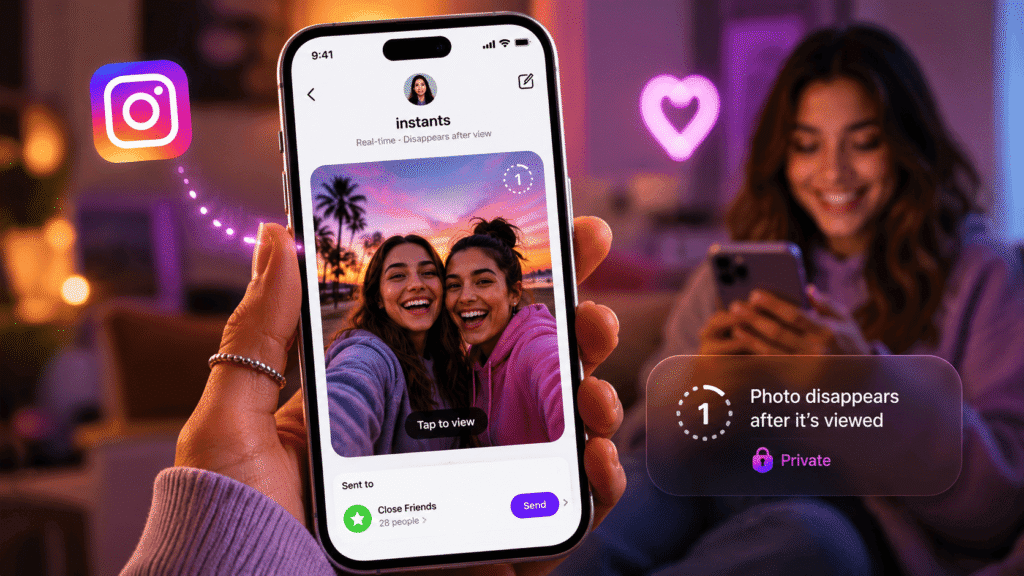
If your Instagram inbox suddenly has a little stack of photos sitting in the corner, you are not imagining things. Instagram just rolled out something called Instants, and it is the biggest change to the Instagram messaging experience in years.
Meta announced Instants on May 13, 2026, and it went live globally almost overnight. By the next morning, half of social media was either trying it, complaining about it, or googling how to switch it off. That kind of buzz only happens once every few years on Instagram, so it is worth paying attention.
So what is the fuss about? In one line, Instants lets you snap a photo right inside Instagram and send it to your Close Friends or mutual followers, and that photo disappears once someone opens it. There is no filter game, no caption-crafting marathon, no waiting for the perfect light. You tap, share, and move on.
That sounds small. It is not. Instagram has built its entire personality on polished, curated, edited content. Instants flips that script and quietly invites you to be a little messier and a lot more real. Snapchat fans, BeReal users, and people who loved the old Locket widget will see plenty of familiar ideas in here.
If you are a normal user, Instants is a quieter, more private way to keep in touch with the people you actually care about. If you create content for a living, it is a brand-new channel where the rules have not been written yet. And if you run a business or manage an influencer program, it is a fresh discovery surface that almost nobody is using strategically yet.
In this complete guide, you will learn what Instants is, how it works behind the scenes, how to use it like a pro, how to turn it off if you hate it, what it means for marketing, and what could come next. By the end, you will know exactly how to make this feature work for you, whether you want to use it every day or hide it forever.
Let us jump in.
What Is the Instagram Instants Feature?
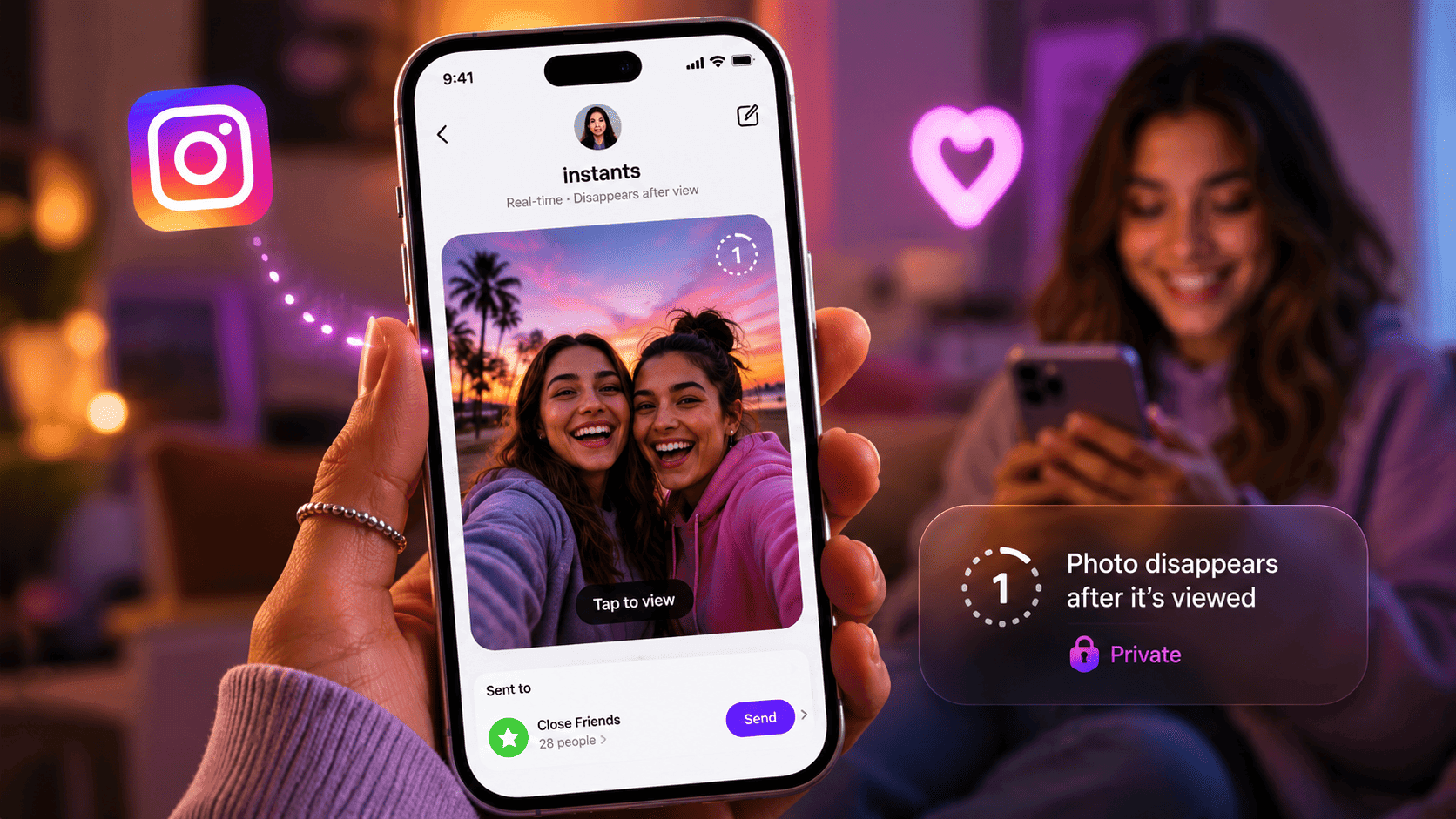
Instagram Instants is a new way to share real-time, disappearing photos with a small circle of people. Instead of crafting a polished post, you open the Instants camera, snap a photo, and send it straight to your Close Friends or to people you follow back. The photo vanishes the moment it is opened, and it cannot be viewed again after 24 hours.
Meta launched Instants on May 13, 2026, after testing it with a smaller group of users in the months prior. It is available globally as a feature inside the main Instagram app, and Meta also released a standalone Instants app for iOS and Android in select countries. Both versions feed into the same network, so an Instant sent from the standalone app shows up the same way inside your friends’ Instagram inboxes.
The purpose is simple. Meta wants Instagram to feel more like a place where friends actually hang out, not just a stage where everyone performs. Over the last few years, users have complained that Instagram feels heavy, slow, and over-produced. Reels, Stories, and the feed all reward polish. Instants is the opposite of that. It is meant to be fast, messy, and human.
Anyone with an Instagram account can use Instants. You do not need a creator account, a Meta Verified subscription, or a special invite. Teen accounts can also use it, but with extra protections that are built in automatically (more on that later).
The bigger picture is that this changes how Instagram feels day to day. The app is no longer just a feed and a search bar. It is now also a quick, intimate sharing channel that sits inside your DMs. If you have been spending more time on WhatsApp, Snapchat, or BeReal lately, Instants is Meta’s clear attempt to pull you back.
How Does the Instagram Instants Feature Work?
The mechanics behind Instants are surprisingly tight. There is no big learning curve, but a few details are easy to miss on the first try, and missing them is exactly why some people are frustrated. Here is the full breakdown.
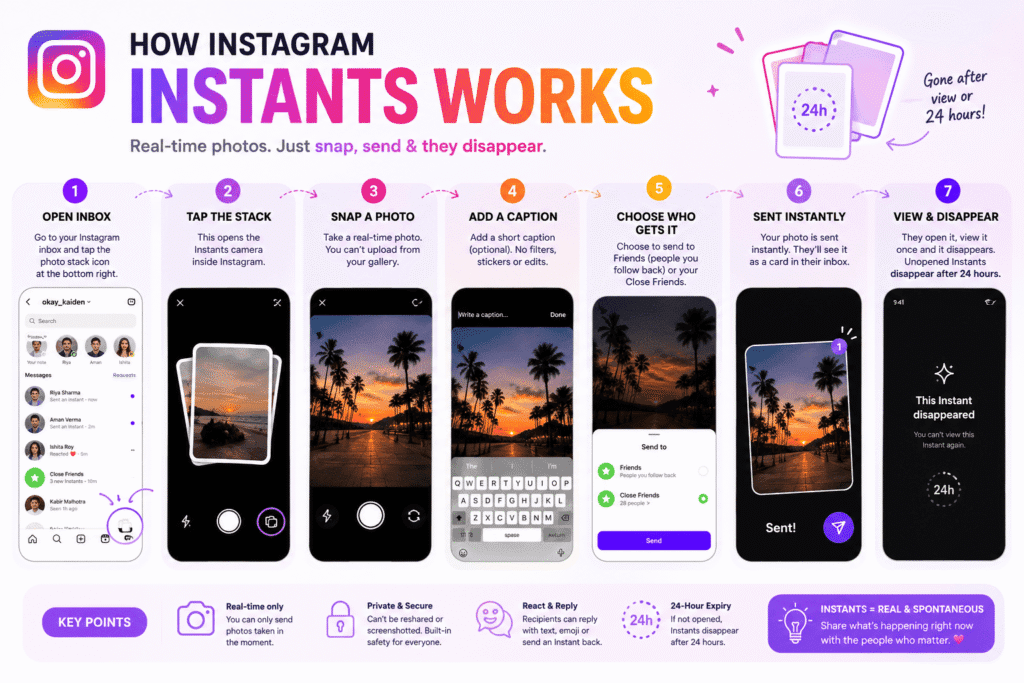
Step 1: You open the Instants camera:
This lives at the bottom right of your Instagram inbox. You will see a little stack of photo cards. Tap that stack, and you go straight into the camera.
Step 2: You snap a photo:
No uploading from your gallery is allowed. The only photo you can send is one you take live, in that moment. This is a deliberate design choice that keeps the format honest.
Step 3: You add a caption (optional):
Type something short if you want. You cannot apply filters, stickers, drawings, or any kind of edit. The image stays as it came out of the camera.
Step 4: You pick who gets it:
Below the shutter button is a small toggle. You can choose between Friends (people you follow back) or Close Friends (your existing Close Friends list). By default it is set to Friends, which is the part most people miss.
Step 5: The photo sends instantly
Yes, instantly. The moment you tap the shutter, the photo is on its way. There is no review screen, no “are you sure”, no swipe-up confirmation. That is why the feature is named Instants in the first place.
Step 6: Recipients react:
Friends who get your Instant see it as a card in their inbox. They open it, view it once, and the photo is gone. They can reply with text, react with an emoji, or fire a quick Instant back. None of that activity is public.
Step 7: The photo disappears:
After viewing, it is gone for the recipient. If nobody opens it, the photo expires automatically after 24 hours.
Instants works on iPhone (iOS) and Android. It is built into the main Instagram app, so as long as you are on the latest version, you should see it. The standalone Instants app is rolling out in a smaller list of countries first, but more regions are being added each week.
A quick real-life example: imagine you are at a friend’s wedding in Jaipur. The lights just dimmed for the first dance. With Stories, you would shoot, trim, add stickers, and upload (and likely miss the moment). With Instants, you tap the stack, snap, and send to your Close Friends in one second. Your cousin in Toronto sees the photo within seconds and reacts with a heart. The moment is shared, and you are back to enjoying the wedding. That is the use case Meta is chasing.
If you also want your main Reels to go big alongside your Instants moments, follow these steps to make viral Instagram Reels to plan a stronger content mix.
How to Use the Instagram Instants Feature
Here is a clean step-by-step tutorial you can follow on your phone right now.
Before you start: Make sure your Instagram app is updated. Open the App Store on iPhone or the Play Store on Android, search for Instagram, and tap Update if you see the button.
Step-by-step: Send your first Instant
- Open the Instagram app and tap your inbox icon in the top right.
- Look at the bottom right of the inbox screen. You will see a small stack of photo cards. Tap it.
- A short intro screen will explain what Instants is. Tap through it once.
- The camera opens. Before you do anything else, check the toggle under the shutter button. It says Friends or Close Friends. Tap once to switch if you want to send to your Close Friends only.
- Tap the shutter button to take the photo.
- The photo sends right away. You will see a small Undo option appear if you change your mind.
- To add a caption next time, tap on the photo after capturing and type your text.
How to view an Instant someone sent you
- Open your Instagram inbox.
- Tap on the photo stack at the bottom right.
- Open the Instant. You can view it once.
- Tap to react with an emoji or reply with a quick message.
- The photo disappears from your view after you open it.
How to send an Instant back
- After viewing the Instant, tap Send back.
- The Instants camera opens.
- Snap and send. The reply goes only to that one friend.
Customization options inside Instants
- Switch between Friends and Close Friends at any time by tapping the toggle.
- Add a caption to your photo before sending.
- Archive view: Tap the four-box icon at the top right of the Instants camera to see your shared Instants archive.
- Recap to Stories: From your archive, tap Create recap to bundle Instants into a Story.
- Snooze: Hold down the photo stack in your inbox and swipe right to pause receiving Instants. Hold and swipe left to bring them back.
Troubleshooting if Instants is not visible
If you do not see the photo stack in your inbox, try these in order:
- Update Instagram to the latest version.
- Force-quit the Instagram app and reopen it.
- Restart your phone.
- Make sure your region is included in the rollout. As of mid-May 2026, the main Instagram Instants feature is global, but the standalone app is still expanding.
- Sign out of Instagram and sign back in.
- Check your settings under Content Preferences to make sure you have not toggled Hide Instants in Inbox by accident.
If none of that works, give it a day or two. Meta often rolls features out in waves, even when they say “global”.
Key Features of Instagram Instants
Instants is a small feature on the surface, but Meta packed a surprising number of touches into it. Here are the ones worth knowing.
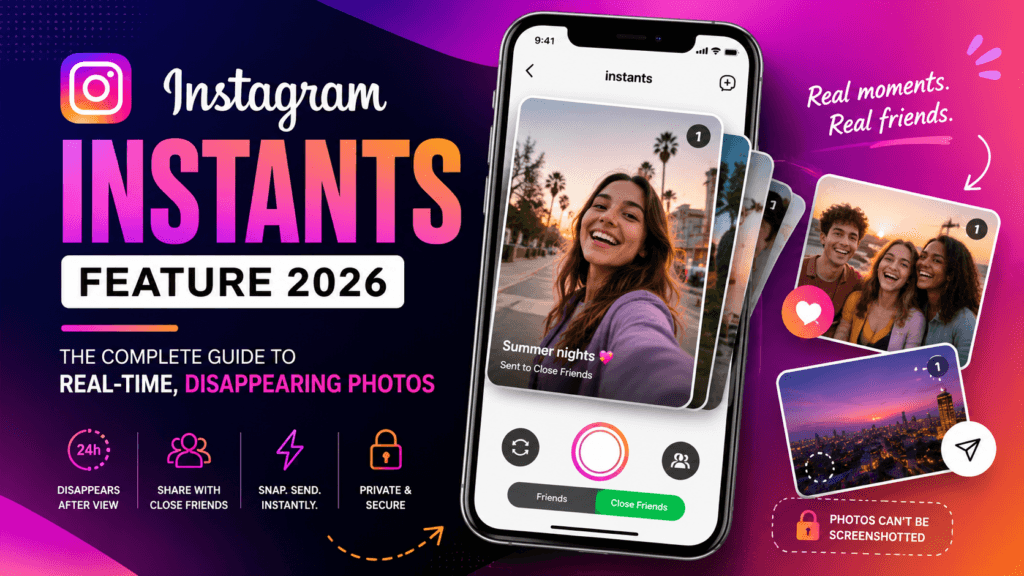
- Real-time camera only: You cannot upload from your gallery. Every Instant has to be a fresh photo. This forces the format to stay in the moment.
- Disappearing photos: Each Instant disappears once the recipient opens it. Unopened Instants vanish after 24 hours.
- One-time viewing: No replays. Once it is gone, it is gone for that recipient.
- No screenshots or screen recording: Meta blocks both. If your friend tries to grab your Instant, they will not be able to.
- Friends or Close Friends: Pick your audience right before sending. Close Friends matches your existing Stories Close Friends list.
- Reactions and replies: Recipients can hit you with an emoji or a quick text reply. All of it is private.
- Send back: Reply with another Instant straight from the viewer.
- Undo: Caught a typo or sent it to the wrong list? Tap Undo right after sending to retract the photo before friends open it.
- Archive for one year: Every Instant you send is stored in your private archive for up to 12 months. You can revisit memories or delete unopened ones.
- Recap to Stories: Build a recap reel of past Instants and post it to your main Story feed.
- Snooze controls: Pause incoming Instants from your inbox without disabling the whole feature.
- Hide Instants in Inbox toggle: Found under Content Preferences, this fully hides the stack from your inbox view.
- Standalone Instants app: A separate iOS and Android app that opens directly to the Instants camera. Same network as the in-app version.
- No public viewer list: Unlike Stories, nobody can see who viewed what. There is no “seen by” tray.
- Built-in safety tools: Block, Mute, and Restrict all carry over from your main Instagram account.
- Teen and Family Center integration: Supervision is automatic, including time limits and Sleep Mode windows.
A few hidden capabilities to play with:
- Long-press snooze trick: Hold the photo stack and swipe right. Holding plus swiping left brings it back. This is faster than going into Settings.
- Archive cleanup: Deleting a sent Instant from your archive also unsends it to anyone who has not opened it yet.
- Standalone app shortcut: If you mostly use Instants, the standalone app saves several taps because it boots directly into the camera.
Benefits of Instagram Instants Feature
Different users will get different value out of Instants. Here is how it plays out across audiences.
For normal users:
- Lower pressure to look perfect online.
- A more intimate way to share daily life with the people who actually matter.
- Less feed clutter because these photos never become posts.
- A natural alternative to Snapchat or WhatsApp status without leaving Instagram.
For content creators:
- A brand-new channel where competition is almost zero.
- Stronger connection with your top fans through Close Friends.
- Behind-the-scenes content without the editing time tax.
- Authentic moments that build long-term trust, which is exactly what creator economy data has been pointing to in 2026.
For influencers:
- A premium intimacy layer for paid Close Friends communities.
- Real-time stunts during events (red carpets, brand activations, festivals).
- Faster engagement with brand partners through quick reaction loops.
- A way to test reaction speed and audience interest before producing polished content.
For brands:
- A new surface to humanize the company through team moments, factory tours, and product launches in motion.
- Direct, two-way communication with super-fans on a Close Friends list.
- Lower production cost per piece of content.
- Early-mover advantage while the format is still fresh.
For businesses:
- A casual customer service channel for VIP customers.
- Quick visual updates (think “your bouquet is ready” or “your custom order just left the workshop”).
- Authentic culture content for hiring and employer branding.
- Faster, lower-stakes content for small teams that cannot ship a polished Reel every day.
For social media marketers:
- Fresh signal to track around ephemeral content engagement.
- Smaller, tighter audiences that often convert better than mass impressions.
- An experimental playground to learn what your community responds to in real time.
- A new data point to share with stakeholders who are bored of “Stories impressions”.
If you still enjoy posting on WhatsApp side by side with Instants, get ideas from these comments for WhatsApp status to spark instant replies.
Instagram Instants Feature for Businesses and Marketing
The first wave of brands experimenting with Instants is going to look chaotic. That is good news. Because the format is so new, you can run cheap, fast experiments and learn faster than competitors who are waiting for an official playbook.
Here is how to think about Instants for marketing.
Use case 1: Lead nurturing for your top community:
Build a Close Friends list of your highest-intent customers, course buyers, or community members. Use Instants to drop quick, raw moments only they get to see. Examples include peeks at upcoming product photoshoots, founder voice notes captured visually, or early-access announcements.
Use case 2: Real-time event marketing:
Sending Reels from a live event takes time. Sending Instants takes one tap. If your brand is at a trade show, fashion week, a product launch, or a sponsored concert, Instants can carry the moment to your VIPs without slowing the team down.
Use case 3: Direct response with intimacy:
Instants does not have built-in commerce links yet, but you can use it as a hook that drives people to DM you with a keyword. “Reply BLOOM and I will send the link” is a tiny call to action that fits the format and starts a real conversation.
Use case 4: Brand storytelling that does not need a script:
Most brand video plans die in pre-production. Instants kills the planning step. A team member can grab three photos a day, send them to your Close Friends business audience, and slowly build a narrative without producing anything heavy.
Use case 5: Influencer partnerships with proof of presence:
If you sponsor an influencer’s appearance at an event, ask them to send a few Instants to their Close Friends community. It feels less like a paid post and more like a real moment, which is exactly what younger audiences trust right now.
Use case 6: Internal culture and recruiting:
Run an internal Instants channel for team moments. Then pull the best ones into a Recap Story for your public feed. Suddenly you have culture content with almost zero production cost.
A practical engagement tip: pair every Instants experiment with a tracked link in your bio or a UTM in your story Recap. Instants itself will not give you click analytics yet, but the surrounding behavior will.
For brand visibility, the biggest near-term opportunity is being early. Instants will get a wave of new search demand over the next 90 days, and brands publishing useful “how to use Instants” content or trend pieces around it will pick up organic search traffic and AI overview placements long before competitors catch on.
Want your Instants audience and main Instagram followers to grow together? Use these proven tips and tricks to get more followers on Instagram starting today.
Common Problems and Fixes
This is the part most users land on first, because something always breaks. Here are the most common questions and their fixes.
Why is the Instants feature not showing on my Instagram?
Most likely you are on an older version of the app. Update Instagram in the App Store or Play Store, then restart the app. If it still does not show, check Settings, then Content Preferences, and make sure Hide Instants in Inbox is turned off.
How do I update Instagram?
On iPhone, open the App Store, tap your profile picture, scroll to Instagram, and tap Update. On Android, open the Play Store, search Instagram, and tap Update. Updates roll out in waves, so if you do not see one yet, check again tomorrow.
Is Instagram Instants available globally?
Yes, the in-app Instants feature went global on May 13, 2026. The standalone Instants app is still rolling out in select countries on iOS and Android, with more regions added every week.
Is it available on Android and iPhone?
Yes on both. The feature works identically inside the Instagram app on both platforms. The standalone app is available on both stores as well, region by region.
Does Instagram Instants work on desktop?
No. Instants is a mobile-only feature for now. The web version of Instagram does not include the Instants camera or inbox stack.
How do I troubleshoot errors like “Instant failed to send”?
Check your internet connection first. Switch from Wi-Fi to mobile data (or vice versa) and try again. If the error continues, force-quit the app, restart your phone, and confirm that Instagram is updated. If the failure happens repeatedly, log out and back in.
Why was my Instant sent to everyone instead of Close Friends?
The toggle defaults to Friends, not Close Friends. Always check the small toggle below the shutter button before tapping. If you have already sent it by mistake, tap Undo quickly to pull it back before anyone opens it.
How do I turn off Instagram Instants?
Go to your profile, tap the three-line menu in the top right, open Settings, scroll to Content Preferences, and toggle on Hide Instants in Inbox. You will stop seeing the stack and any new Instants people send you.
How do I temporarily snooze Instants without disabling it?
Hold down the photo stack in your inbox and swipe right. Hold and swipe left to bring it back.Can I retrieve a deleted Instant?
No. Once you delete an Instant from your archive, it is gone for good. The archive only stores Instants for 12 months by design.
Privacy and Security Concerns
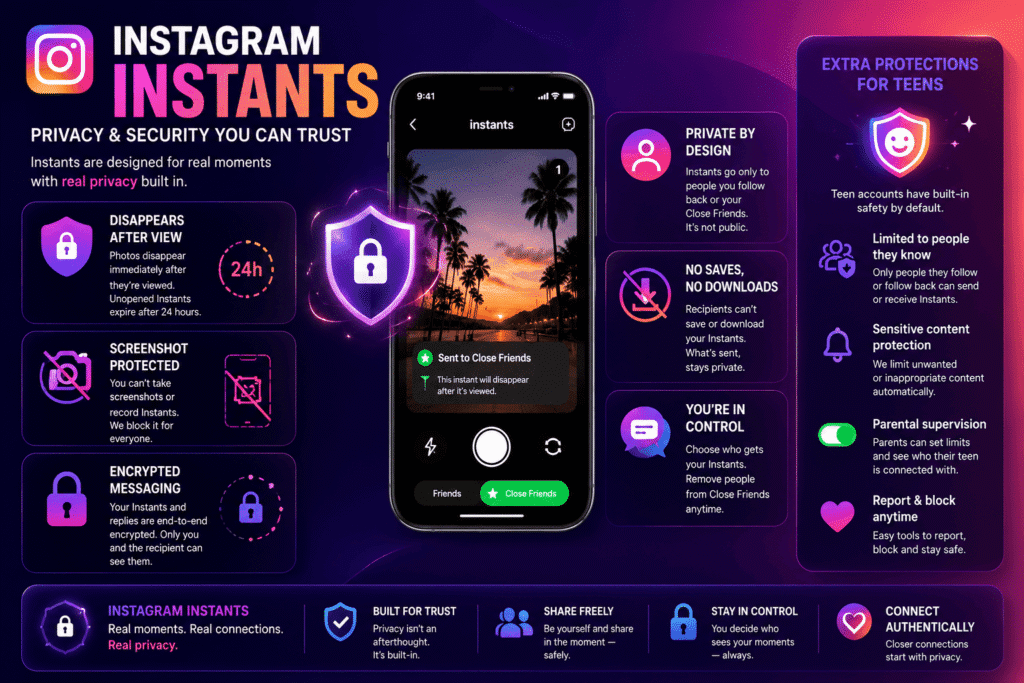
Instants raises real questions about consent, accidental sharing, and digital safety. Meta has built a few protections in, but you also need to understand the design choices that have caused friction
Who can see your Instants?
Only the people you choose at the moment of sending. That is either your Friends list (people you follow back) or your Close Friends list. There is no public Instants feed and no view counter.
No screenshots, no recording:
Meta blocks screenshots and screen recordings inside the Instants viewer. If someone tries, they will see a blacked-out screen. This is a real improvement over older ephemeral platforms.
Undo gives you a small safety net:
If you accidentally send an Instant, tap Undo right after. As long as the recipient has not opened it, the photo is pulled back. You can also delete unopened Instants from your archive.
Permissions you grant:
Instants needs access to your camera. The standalone app may also request access to notifications and your microphone. You can review and adjust these in your phone’s settings under Privacy, then Instagram or Instants.
Data retention:
Your shared Instants live in a private archive for up to one year. Meta has not published full details on whether image data leaves your archive after that window, but the visible 12-month archive is the limit users can interact with.
Teens and minors:
Instants is automatically tied into Instagram’s Teen Accounts and Family Center. Shared time limits, Sleep Mode (10 PM to 7 AM), block, mute, and content filters all carry over. Parents who already supervise their teen on Instagram do not need to set anything new. They will also get a notification the first time their teen downloads the standalone Instants app.
How to stay secure on Instants:
- Always confirm the audience toggle (Friends or Close Friends) before tapping the shutter.
- Use Close Friends for anything more sensitive than a coffee shot.
- Treat Instants like a quick group text, not a polished post.
- Review your Close Friends list every few weeks and remove people you do not want there.
- If you receive unwanted Instants, block, mute, or restrict the sender just like you would on the main app.
- If you share a phone with kids, hide Instants in the inbox to avoid accidental shares.
A quick word on the elephant in the room: the design choice to auto-send the photo the moment you tap the shutter has frustrated many users. If you tend to fumble while taking selfies, switch to Close Friends by default and only send to Friends when you specifically want to.
Instagram Instants Feature vs Other Instagram Features
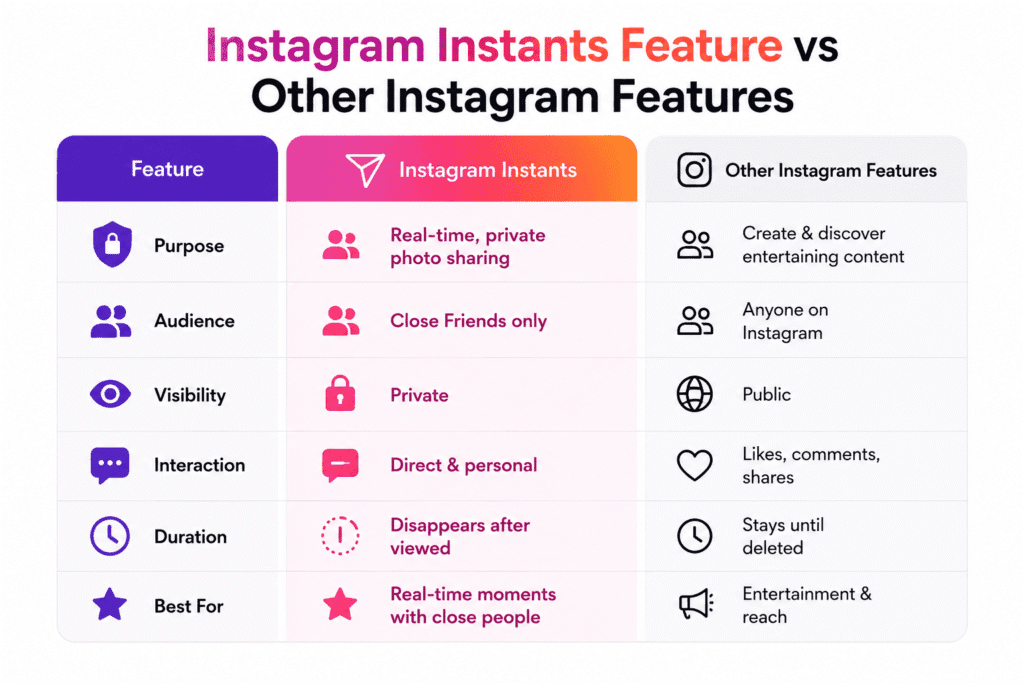
It is easy to confuse Instants with the other Instagram surfaces, so here is a clean side-by-side.
Instants vs Stories:
Stories live for 24 hours and are visible to all your followers (or your Close Friends if you choose). Instants are sent to specific people, vanish the moment they are opened, and have no viewer list. Stories are for broadcasting; Instants are for whispering.
Instants vs Reels:
Reels are public, polished, edited, and optimized for discovery and growth. Instants are private, raw, unedited, and optimized for closeness. Different jobs entirely.
Instants vs Notes:
Notes are short text or audio posts that sit at the top of your inbox for 24 hours, visible to your Close Friends or followers you follow back. Notes are about thoughts. Instants are about images. They will likely complement each other.
If you’re still figuring out what to type in your Notes before you send your first Instant, pick something from these Instagram Notes ideas to set the right mood.
Instants vs Broadcast Channels:
Broadcast Channels are one-to-many DM lists run by creators. They are great for announcements. Instants are casual, two-way, and visual. A creator might use Broadcast Channels for news drops and Instants for behind-the-scenes texture.
Instants vs DMs:
A regular Instagram DM is persistent. The photo stays in the thread unless someone deletes it. Instants disappear after one view. DMs are still better for ongoing conversations, attachments, and links.
Instants vs Snapchat snaps:
Very similar in spirit. Both are disappearing, both are camera-only. The big difference is the network. If most of your friends already live on Instagram, Instants meets them where they are. Snapchat still wins on filters, lenses, and Spotlight discovery.
If Snapchat is still your daily driver too, check out these Snapchat hashtags for Spotlight to keep your snaps discoverable.
Instants vs BeReal:
BeReal pings you once a day at a random time and shows everyone simultaneously. Instants is on-demand. You decide when to share. BeReal is structured spontaneity; Instants is unstructured spontaneity.
Instants vs Locket Widget:
Locket pushes photos straight to a friend’s home screen widget. Instants stays inside the app. Locket is more ambient; Instants is more conversational.
The honest read is that Instants is not designed to replace any of these. It is designed to live alongside them and capture the in-between moments that nobody bothers turning into a Story.
Expert Tips to Use Instagram Instants Better
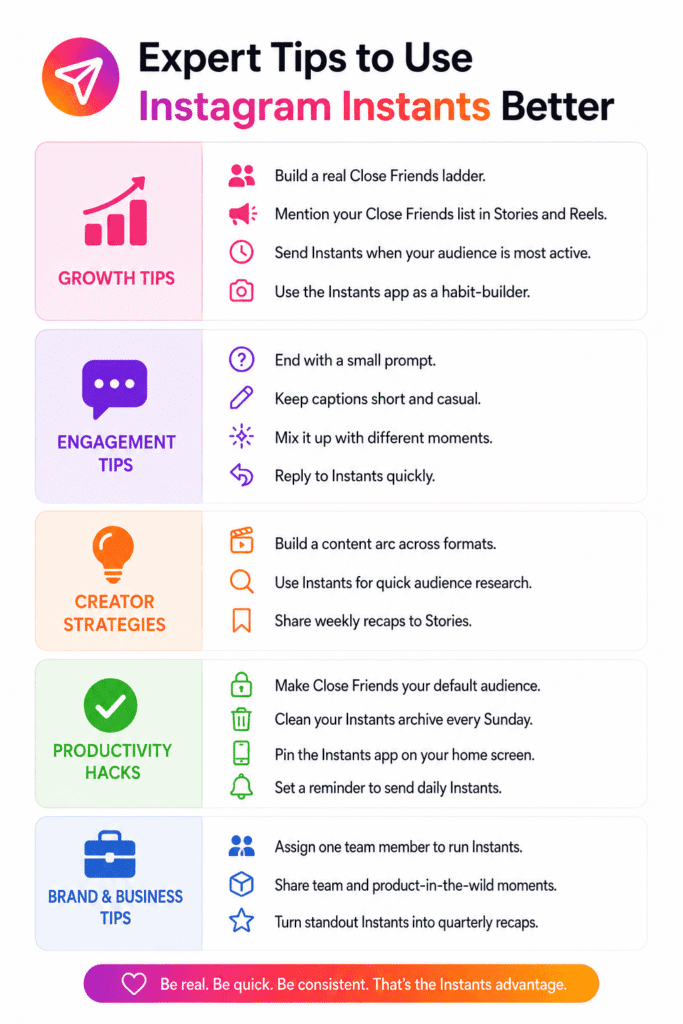
Now for the practical stuff. These are the tips that actually move the needle once you stop fiddling with the toggle.
Growth tips:
- Use Instants to build a real Close Friends ladder. Start with super-fans, then invite more carefully over time. A small, engaged Close Friends list outperforms a large, passive one.
- Mention your Close Friends list in Stories and Reels. Curiosity drives follows and replies.
- Send Instants at moments you know your audience is online, especially mid-morning and evening windows in your home time zone.
- Treat the standalone Instants app as a habit-builder. The shortcut to the camera means you will send more, and frequency builds memory.
Engagement tips:
- End your Instants with a small prompt. Something like “send one back if you are also having a Monday like this” invites a reaction.
- Use captions sparingly, but when you do, make them feel like a text message, not a tagline.
- Mix it up. Selfies, work-in-progress shots, food, sky, pets. Variety keeps the format fresh.
- Reply to incoming Instants within a few minutes when possible. The format rewards quick volleys.
Creator strategies:
- Build a content arc across formats. Tease an upcoming Reel in Instants, drop the Reel, then send an Instant reaction after launch. Three touchpoints, one story.
- Use Instants as a research tool. Send a quick “thoughts?” Instant to your Close Friends before you finalize a post. The reactions you get will guide better hooks.
- Compile a weekly Recap to Stories so your wider audience still sees the highlights without losing the intimacy of the original send.
Productivity hacks:
- Lock your default audience to Close Friends mentally. Make it your standard setting and only switch to Friends for safer content.
- Empty your Instants archive every Sunday. Delete unopened ones, save anything meaningful as a screenshot to your phone, and start the week fresh.
- Pin the Instants app on your home screen if you use the standalone version. It saves five seconds per send, which adds up.
- Set a phone reminder if you want to send daily Instants to a private friend group. Once it becomes a routine, the format earns its place.
Brand and business tips:
- Pick one team member to run your brand’s Instants. The format works best when it has one voice.
- Mix internal team Instants with product-in-the-wild moments. Audiences love seeing the people, not just the product.
- Save standout Instants and turn them into a quarterly Stories recap that lives in your Highlights. You get reuse without losing freshness.
To make your Recap Stories reach beyond your Close Friends and pick up new viewers, drop in a few of these 68 trending hashtags for Instagram Story before posting.
Future of Instagram Instants Feature
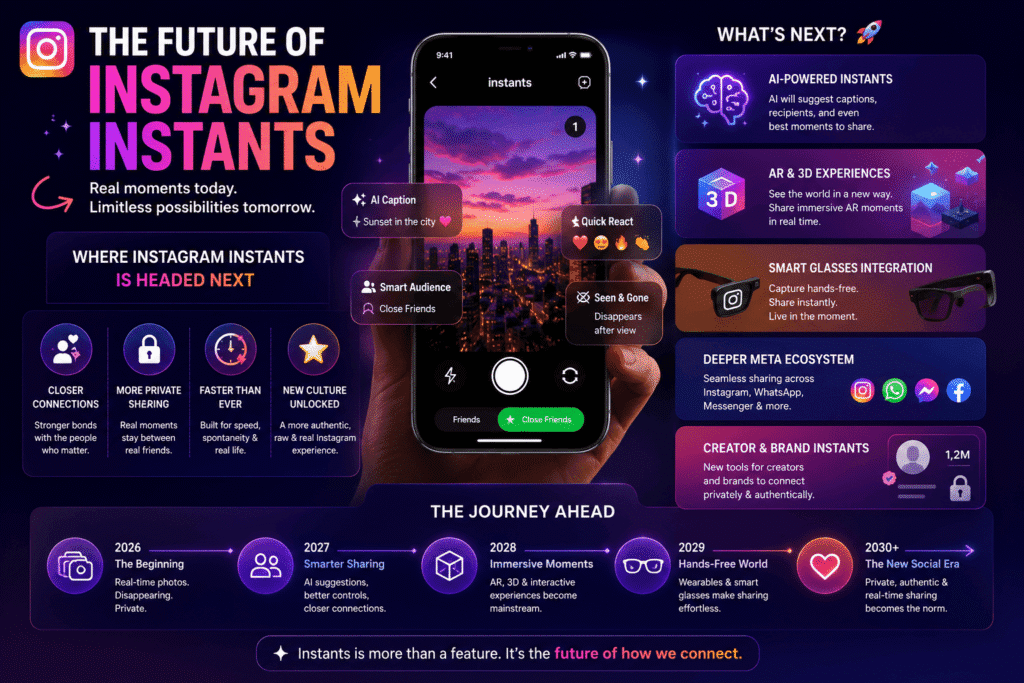
This is week one of a brand-new feature, so anything Meta does next is fair game. Here is the most informed view of where Instants is likely to go.
More creator monetization tools:
Expect paid Close Friends tiers to expand, with Instants as a perk. Meta has been pushing creator subscriptions hard since 2024, and a private, intimate format like Instants is the perfect carrot.
Group Instants:
Right now Instants is one-to-many in a “select friends” sense, but a true group thread of disappearing photos is an obvious next step.
Cross-app expansion:
Meta tends to share successful features across the family. A Messenger or WhatsApp version of Instants would not surprise anyone, especially in India where WhatsApp dominates daily messaging.
Smart camera tools:
Meta AI is everywhere right now. Expect features like AI-suggested captions, smart audience suggestions (“send this to your hiking friends”), and auto-translated captions for friends in other languages.
Integration with Ray-Ban Meta and Oakley Meta glasses:
A first-person Instant from smart glasses is exactly the kind of moment-sharing Meta has been hinting at. The hardware-software loop is coming.
Recap upgrades:
The Recap to Stories tool is barely scratching its potential. Expect themes, music, AI editing, and even shareable Reels-style recaps soon.
Better analytics for businesses:
As brands start using Instants, Meta will likely add lightweight metrics (sends, reactions, replies) for business accounts. Today the format is analytics-free, which keeps it casual but limits marketing investment.
Discovery layers for creators:
Today there is no way to receive an Instant from someone you do not follow. A controlled, opt-in “discover creator Instants” surface would unlock huge new growth potential.
The bigger trend is clear. Social media in 2026 is moving toward smaller, more trusted circles. Instants is Meta’s bet that intimacy is the next growth engine. If you are a creator or brand, plant a flag here early.
FAQs
Q. 1 What is the Instagram Instants feature?
Instagram Instants is a feature launched on May 13, 2026, that lets you share real-time, disappearing photos with your Close Friends or mutual followers. Photos vanish after a single view and cannot be seen after 24 hours.
Q. 2 How do I use Instagram Instants?
Open Instagram, tap the inbox icon, then tap the photo stack at the bottom right. The camera opens. Choose Friends or Close Friends, snap your photo, add an optional caption, and tap the shutter to send.
Q. 3 Is the Instagram Instants feature free?
Yes. Instants is built into the main Instagram app at no extra cost. The standalone Instants app is also free on the App Store and Google Play.
Q. 4 Can I download the standalone Instants app?
Yes, in select countries on iOS and Android. Search for Instants in the App Store or Google Play. Log in with your Instagram account to use it.
Q. 5 How do I turn off Instagram Instants?
Go to your Instagram profile, tap the three-line menu, open Settings, then Content Preferences, and turn on Hide Instants in Inbox. You will no longer see Instants in your inbox.
Q. 6 Can someone screenshot my Instant?
No. Instagram blocks screenshots and screen recordings inside the Instants viewer. If someone tries, they will see a blank screen.
Q. 7 Does Instagram notify me if someone opens my Instant?
You will see when an Instant has been opened, but there is no public viewer list like Stories. Reactions and replies are private.
Q. 8 Can I send an Instant to people I do not follow?
No. Instants can only be sent to your Close Friends or to mutual followers (accounts you follow back).
Q. 9 Does Instagram Instants work on desktop?
No. Instants is mobile only. You can use it on iPhone or Android through the Instagram app or the standalone Instants app.
Q. 10 What happens to my Instants after 24 hours?
Once opened, an Instant disappears from the recipient’s view. If nobody opens it, the Instant expires automatically after 24 hours. A copy stays in your private archive for up to 12 months.
Q. 11 How is Instagram Instants different from Snapchat?
Both share disappearing photos, but Instants lives inside the Instagram network where your existing friends already are. Snapchat has stronger filters and lenses; Instants has tighter integration with Stories, Close Friends, and your archive.
Q. 12 Can teens use Instagram Instants safely?
Yes. Teen Accounts and Family Center are automatically integrated. Time limits, Sleep Mode (10 PM to 7 AM), block, mute, and content filters all apply. Parents are notified when their teen first downloads the standalone Instants app.
Q. 13 Why does my Instant get sent before I am ready?
The toggle defaults to Friends and the shutter sends instantly with no confirmation screen. Always check the toggle and frame your photo before tapping the shutter. If you make a mistake, hit Undo right away.
Conclusion
Instagram Instants is one of those features that sounds small on launch day and quietly reshapes how the app feels six months later. It strips away the polish, removes the planning, and gives you a fast lane to the people who actually matter in your inbox.
For regular users, it is a more honest way to keep in touch. For creators, it is a fresh canvas where the rules are still being written. For brands, it is a low-cost intimacy layer with real first-mover advantage. And for everyone, it is a reminder that the best social moments do not need a filter, a hashtag, or a caption